Is an All-in-One PC the Right Fit for You?
All-in-one PCs are becoming the go-to choice for those seeking a practical and stylish computing solution. With their increasing popularity among both home and office users, these sleek machines offer a wonderful balance of performance, aesthetics, and less clutter — not to mention the surprising ease of just setting them up! But are they the perfect fit for you? Let's delve into what makes all-in-one PCs a noteworthy option.
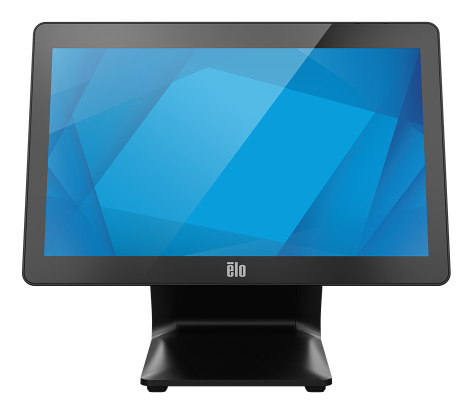
What Are All-in-One PCs?
All-in-one PCs combine the computer tower into the monitor itself, creating a streamlined and compact design that's as much about aesthetics as it is about saving space. You’ll often find features like touchscreen capabilities, which are pretty nifty if you're into more interactive computing. The idea is to minimize the traditional desktop's chaos—no more tangled cables messily diverting your attention. If you've ever worked with a traditional desktop, you know what I mean, right? A typical all-in-one comes with a minimum of cords, usually just the power cable, and sometimes not even that if it has built-in battery options.
Meanwhile, how do they compare to laptops? Imagine the power of a desktop but with the elegance and minimalism of a laptop minus the portability hiccups, of course. We're not talking about lugging this around a cafe, but hey, for a stationary workspace, this fusion is often appreciated. Many people, especially in smaller apartments or offices, notice a pleasing difference when their desk isn’t overwhelmed by devices and cables. If you're curious about specific models and configurations, feel free to check out our product categories for a closer look at what's currently on the market.Benefits of All-in-One PCs
A significant draw to all-in-one PCs is their sleek and space-saving design. Imagine replacing that cumbersome desktop setup with a unit that breathes elegance into your workspace. Not only do they conserve space, but by doing so, they also elevate the overall look of a room. Whether it's in an office or home setting, a cleaner desk may surprisingly increase productivity—a theory plenty of people swear by.
Beyond looks, these machines often pack a punch in terms of performance. Many users find they strike just the right balance, offering enough power for demanding software applications without the bulk of a traditional desktop. Plus, their setup couldn't be simpler. Forget about fumbling with a myriad of cords; usually, it's just one power cable and your personal choice of peripherals. For those intimidated by techy setups or just lacking the time, this can be a huge advantage. All-in-one PCs also make a good case for versatility. From family hubs to professional environments, they transition seamlessly. Moreover, the mix of functions and sleekness makes them a slightly attractive option, especially when you're juggling office tasks and family media activities. You can explore different models further at sites like Lenovo’s official page for deeper insights into their range.Ideal Use Cases for All-in-One PCs
Imagine stepping into a home office without the usual tech clutter—it sounds pretty ideal, doesn’t it? All-in-one PCs excel in such environments, providing efficient use of space while delivering the power you need for a productive day. They're especially handy in small business settings where desk real estate is at a premium. I've seen colleagues transform cramped workspace into tidy, inviting areas just by switching to an all-in-one setup. This streamlined approach can improve mood and productivity—certainly a win-win.
But let's not stop there. These PCs are also wonderful for shared environments or communal workspaces due to their user-friendly nature. Families often appreciate them as centralized hubs for scheduling, streaming, or collaborative learning. With features like touchscreen capabilities, they’re great, especially for younger family members who love interacting directly on the screen. In educational settings, teachers often vouch for how kids engage better with the tactile interaction these devices offer. That’s not something you typically get with standard desktops or laptops. So whether it’s merging work with family activities or leveraging them as interactive learning tools, these devices fit the bill nicely across various scenarios.Considerations Before You Buy
Before you dive into purchasing an all-in-one PC, it's crucial to consider a few factors. Screen size varies typically from 21 to 27 inches, and your choice will depend on available space and what you plan on doing with it. If your work or hobbies involve multitasking or media consumption, you might lean towards a larger, higher-resolution option.
Memory and storage are other significant considerations. Most all-in-ones offer decent RAM, but ensure it's adequate for your multitasking needs. A solid-state drive can speed things up, so keep an eye out for those options. On the flip side, one potential downside is how tricky it can be to upgrade these machines; that’s something less of a concern with traditional desktops. Typically, only RAM and storage might be accessible for upgrades, and even then, it's not always straightforward. Lastly, think long-term—what will truly benefit you over time rather than the flashy add-ons that seem important now but might not matter much after the novelty wears off. Balancing these considerations can make a difference in your satisfaction. Take a look here for more insights on making technology investments.Comparing Lenovo and HP All-in-One PCs
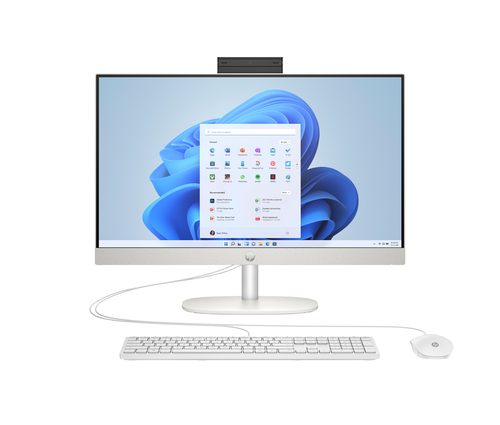
When we juxtapose the Lenovo ThinkCentre neo 50a 27 Gen 5 with the HP 24-cr0220 PC, a few distinctions often emerge. Lenovo leans heavily on performance, featuring an Intel® Core™ i5 processor complemented by substantial RAM, making it a beast for users focused on multitasking and robust applications. Meanwhile, HP tends to prioritize eco-friendly design, presenting a more compact form factor which is something to consider for greener setups.
Touchscreen displays are increasingly a standard feature, present in both models, offering an intuitive interaction style. Each has its unique edge—Lenovo might lure users who want raw power and superior multitasking capabilities, whereas HP's design ethos might attract those who value sustainability and style as much as performance. So, deciding between these options often boils down to what resonates most with your values and needs. Searching for a model that fits your style and requirements? Consider exploring more comparisons and options on our product categories page.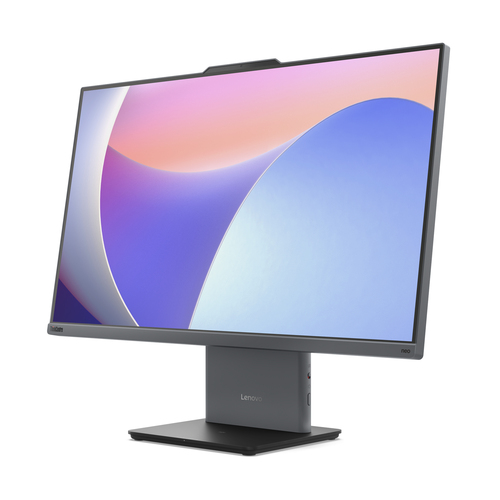
How to Set Up Your All-in-One PC Like a Pro
Setting up an all-in-one PC can be a straightforward process, but there are ways to make it even smoother. Start with unboxing—check for all components like power cables and peripherals. Place your device on a clean, flat surface. When it's ready, plug in power and press that satisfying power button to begin the setup process.
Connect your keyboard and mouse, which often use either Bluetooth or USB connections. Finding the perfect spot for your all-in-one is key. Aim for a glare-free area with enough room for airflow. After this, dive into configuring your settings! Adjust display brightness, set power-saving options, and perhaps even personalize the desktop to suit your tasks. Don’t ignore software updates, which will likely kick in as soon as you connect to Wi-Fi. They're often crucial for the machine's security and performance. For an in-depth dive into setting up similar tech, check our guide on computer accessories for various tips and tricks.Conclusion
To wrap things up, all-in-one PCs offer a unique blend of functionality and aesthetics. They’re typically well-suited for users prioritizing a clean desk and usable space with a performance that doesn’t fall short. However, whether these machines are the best fit depends on personal preferences—from the need for upgradability to the aesthetic value they add to a room. Long-term satisfaction should guide your decision more than an attraction to shiny features.
If you're drawn to this balance of design and functionality, it may be worth researching further. It's intriguing to see what potential lies within Lenovo’s innovative options. Want to read more on other PC innovations? This article might add a twist to what you’re considering. Ready to explore more? Check our category page to find the model that checks all your boxes.Frequently Asked Questions
Common questions about All-In-One PC/LCD