Which Computer Accessories Are Worth Your Investment?
Welcome to the world of tech accessories! Ever wondered if your computer setup is missing something? Let’s dive into how the right accessories can transform your computing experience from average to exceptional. In my experience, a few well-chosen additions really can make all the difference, delivering enhanced functionality and comfort.
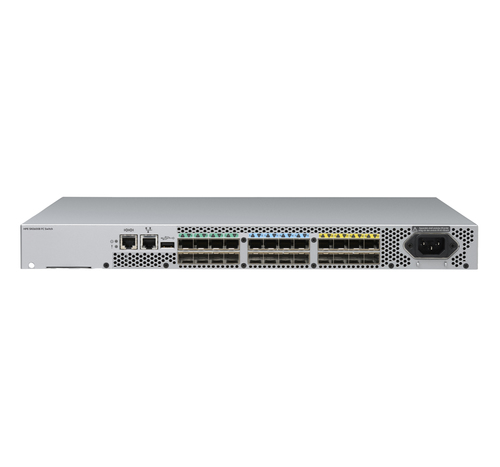
Upgrade Your Setup with Ergonomic Accessories
Ergonomics isn't just a buzzword—it's a game-changer. We’re talking about ergonomic keyboards and mouse designs that help prevent repetitive strain injuries. These designs are thoughtfully crafted to ensure your hands and wrists maintain a natural position, reducing potential for injury over time.
Now, let's think about how an adjustable laptop stand can complement your workspace. Imagine setting up your laptop at eye-level, improving posture dramatically, and potentially reducing neck and shoulder strain. In my view, ergonomic accessories are essential for a healthier and more comfortable computing experience. On the practical side, consider how these pieces can synergize with other peripherals such as cooling pads. This ergonomic design approach has proven effective for maintaining overall well-being during those long hours at the computer. Be sure to check out our ergonomic accessories section for more options that can enhance your setup.Enhancing Security with Smart Accessories
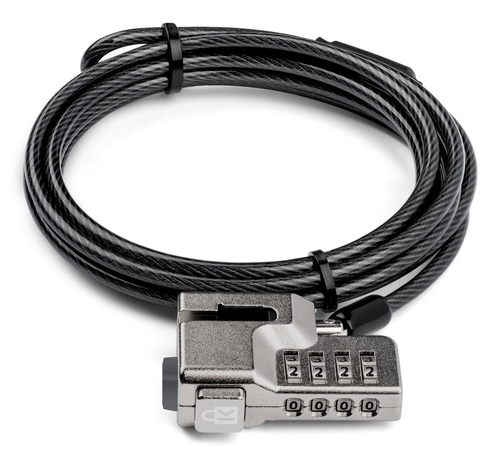
Data security is crucial, and your physical setup should match that concern. Enter the Kensington K68132WW cable lock, specifically designed for Surface devices. This security gadget’s 70.9" cable length and intuitive design make it a staple among professionals. You can often see this trusty ally securing devices in bustling office environments or during conferences.
On the other hand, security doesn’t stop with cable locks. Consider investing in keyboard skins to guard against spills and dust. In my experience, balancing accessibility and security is key—especially when you’re rushing to meet a deadline. It's usually these slight applications of protection that save your device from unexpected mishaps. In the busyness of life, remembering to secure your gadgets with these accessories can offer peace of mind. Why leave security to chance when you can easily incorporate it into your daily routine?Optimizing Performance with Peripheral Devices
Peripheral devices aren’t merely add-ons; they reshape how you compute. Think about high-definition external monitors that extend displays for multitasking efficiency. If you’ve ever needed more screen real estate, you understand the value of a second—or even third—monitor.
Selecting quality connectors is paramount to ensure seamless data transfer. These can boost your connectivity speeds significantly, which is essential when multiple devices come into play. USB hubs are another option, able to power additional devices. They’re ideal for those who often work remotely and need to connect several peripherals simultaneously. Remember, performance upgrades don't just enhance computing power—they revolutionize your entire workflow. This synergy between peripherals and your main system is key to maximum productivity. For an in-depth guide on optimizing hardware setups, check out our performance enhancement section.The Role of Protective Covers in Device Longevity
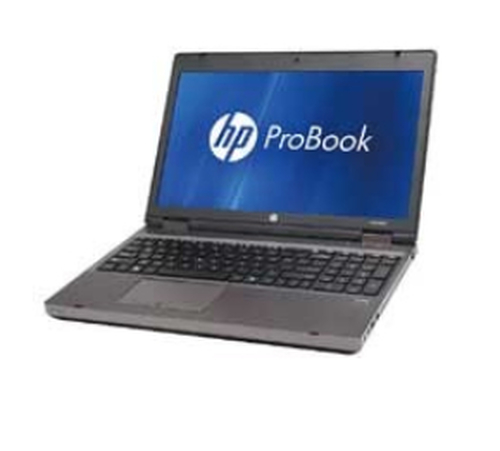
Device longevity often relies on adequate protection. The Protect HP1425-101 Laptop Accessory, known for blocking dust and grime, is a simple yet effective solution. These covers can prevent costly repairs typically caused by spills or dirt ingress.
Consider integrating eco-friendly options like UV-resistant polyurethane, blending sustainability with practicality. As more of us prioritize environmental responsibility, this choice is a win-win. The visual appeal of your device remains intact with fewer touch-ups, while its function is well-maintained. In my opinion, protective covers are a smart, cost-effective way to extend the life of your device, keeping it in its best shape without breaking the bank.Comparative Analysis: Security vs. Protection
Choosing between the Kensington K68132WW cable lock and Protect HP1425-101 involves knowing your priorities. Kensington offers professional-grade security for Surface devices—ideal for office use. Meanwhile, Protect’s cover excels in shielding HP laptops from everyday hazards such as dust and spills everyday hazards. Consider scenarios: Do you need on-the-go security, or do your devices need more dust protection? Where you work and how often you move your equipment can tip the scales either way.
Step-by-Step: Setting Up Essential Accessories
Ready to integrate accessories? First, assess desk space for an optimal layout. Incorporate ergonomic stands or keyboards where needed to encourage a healthy posture. Second, install protective covers by carefully aligning and pressing them into place. For security, loop the Kensington cable lock through anchor points and secure the end to a stable object. Finally, link peripherals using quality connectors to ensure secure and efficient data transfers. These steps provide a tidy, efficient, and protected setup. Typically, such simple interventions yield significant improvements in both organization and productivity.
Conclusion
In the world of tech accessories, investing wisely pays off in comfort, security, and performance. Details such as ergonomic designs or reliable locks matter—you don't always need to splurge on every gadget. We’ve discussed how synchronizing ergonomic, protective, and performance-enhancing accessories can elevate your computing experience. Analyze your daily routine and specific needs to make informed choices. Often, what's overlooked today may become indispensable tomorrow. Ready to make smarter accessory choices? Explore our extensive range of accessories here and start enhancing your tech life today.
Frequently Asked Questions
Common questions about Accessories